
Library & Inventory in Cosmo School ERP
Catalogue every book with copies, shelves and languages, then issue and return them at the desk with due dates and fines. Students and teachers see their own borrowed books. The inventory side keeps a register of furniture, IT equipment and lab assets with locations and condition, and tracks consumable stock, purchases, vendors and low-stock alerts.
Key benefits
Fast issue and return
Search a book or member and issue in seconds.
Overdue under control
Overdue list and fines calculated automatically.
Know what you own
Every asset with code, location, condition and history.
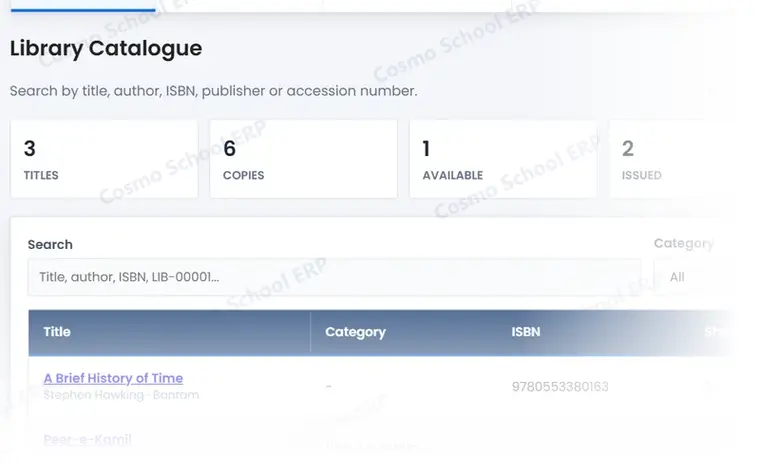
A partial view of the screen
This is part of a real Library & Inventory screen in Cosmo School ERP, shown with test data. In the free demo we open the complete screens and walk through each step with you.
Everything in Library & Inventory
Library 4
- Book catalogueTitles, authors, ISBN, categories, languages and copies.
- Issue and return deskIssue to students or staff with due dates.
- Overdue books and finesOverdue list with fines per day.
- My booksStudents and teachers see their borrowed books.
Inventory 4
- Asset registerFurniture, IT, lab and sports assets with codes and locations.
- Stock itemsConsumables with quantities and reorder levels.
- Purchases and vendorsPurchase records and supplier details.
- Low-stock alertsItems below their reorder level.
Want to see Library & Inventory live?
Book a free demo and we will show this module with data like your own school's.