
Data Tools & Reports in Cosmo School ERP
Move existing student and staff lists into Cosmo with an Excel template; every row is checked and mistakes are highlighted cell by cell before anything is saved. Build your own reports by picking columns and filters, save them as presets and export to Excel. Deleted records go to a trash where they can be restored, and backups can be taken and restored by the admin.
Key benefits
Safe imports
Errors are shown per cell before anything is saved.
Reports you design
Choose columns, filters and sorting, then save the preset.
Mistakes undone
Restore deleted students, staff, challans and more from the trash.
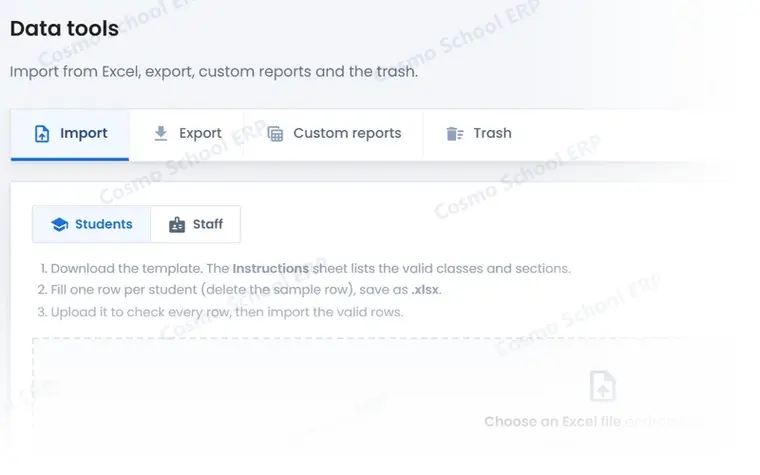
A partial view of the screen
This is part of a real Data Tools & Reports screen in Cosmo School ERP, shown with test data. In the free demo we open the complete screens and walk through each step with you.
Everything in Data Tools & Reports
Import and export 3
- Excel importStudents and staff from a template with per-cell validation.
- Excel exportExport lists to Excel in one click.
- Custom reportsPick columns and filters; save presets; print or download.
Insight and safety 3
- Analytics dashboardAdmissions, attendance, fee collection and staff trends.
- Trash and restoreDeleted records kept for restore by type.
- Backup and restoreDatabase backups on demand, and restore.
Related modules
Admissions & Students
Enquiries, online applications, entry tests, admission wizard and student records.
18 featuresExploreSecurity & Administration
Roles and permissions, two-factor login, sessions, login history, campuses and automation.
9 featuresExploreAccounts
Chart of accounts, vouchers, journal, cash and bank books, imports from fees and payroll.
8 featuresExploreWant to see Data Tools & Reports live?
Book a free demo and we will show this module with data like your own school's.